Internet Radio Receiver

Internet Radio Receiver

2008/08/29

Others can apply for the "Free Dynamic DNS" website

Except NO-IP, provides several in this all to support applies for"Free Dynamic DNS" the website for everybody reference choice.


1. DynDNS

http://www.dyndns.com/


2. FreeDNS

http://freedns.afraid.org/


3. DNSexit

http://www.dnsexit.com/


4. Microtech Limited

http://www.mtgsy.net/default.php


Many of the Internet apply for the "Free Dynamic DNS", in which only four for reference.


2008/08/25

Make your dynamic IP correspond to a fix web name

No-IP DUC is a free program for updating your dynamic DNS, general time-restricted users use dynamic IP. Dynamic IP is unable to build Web server, FTP server, Email and Game server since other people could not get your IP Address. No-IP DUC could update and correspond to fix IP Address, other people may connect to your host. Also you can build your personal Web server, FTP server, Email and Game server.


Here introduces how to register free web name and setup

Register a NO-IP Free
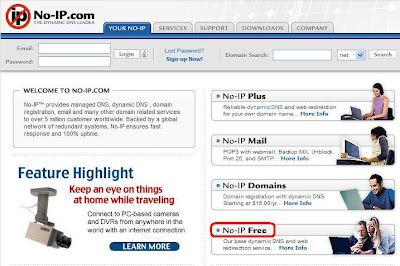
Please access the website http://www.no-ip.com/.


Click “ No-IP Free ” to register a free web name.
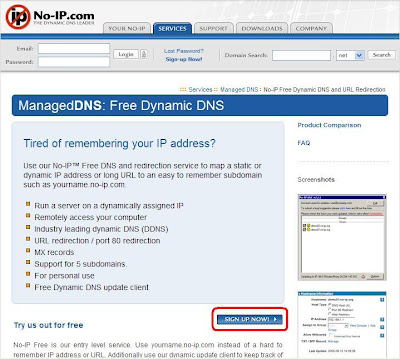

Click “ SIGN UP NOW ” and start registration.
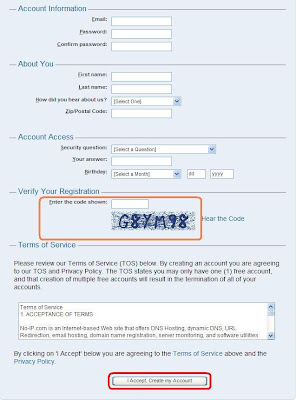


Fill in the information and enter the code displayed in the figure. Click “ I Accept. Create my Account ” to deliver your application.
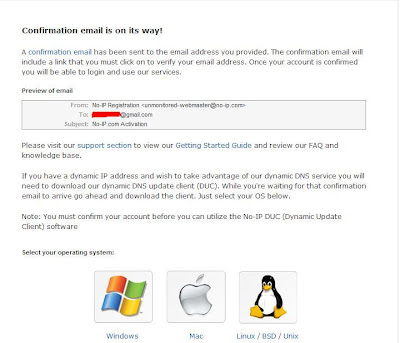
Registration is successful. NO-IP will send you an e-mail to start your account.
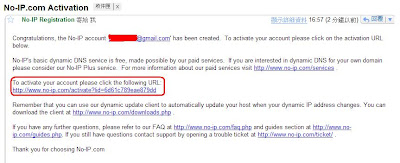


Click the website in NO-IP Registration email to start the account.
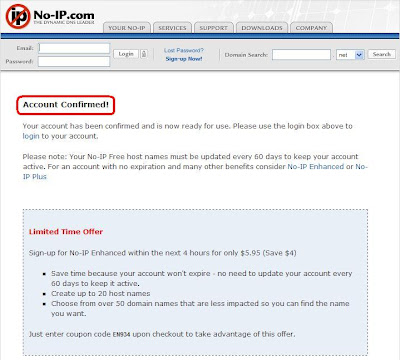


Account confirmed, the registration is done.
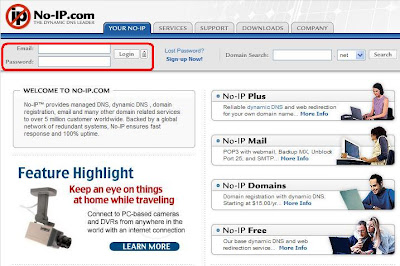


Fill in the Email and password and click “ Login ” .
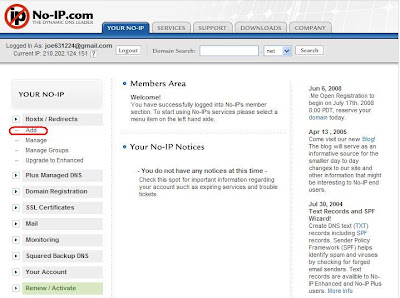


After login, click the tool bar on the left. Select “ Hosts/Redirect -> Add ” to register a host.
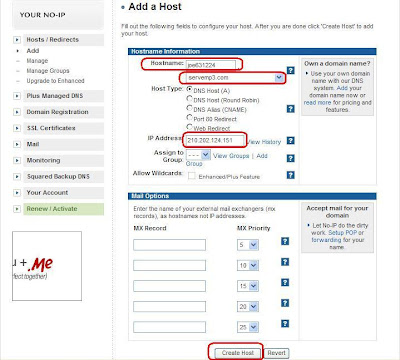


Enter preferred hostname and select the Webspace. Confirm the IP Address and click “ Create Host ”.
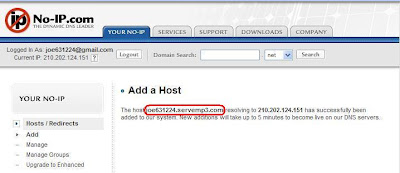

New host has successfully added. Memorize your host name.
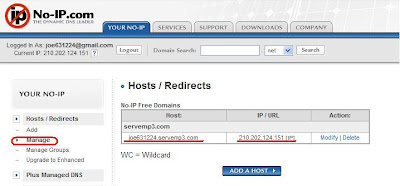

Click the tool bar on the left. Select “ Hosts/Redirect -> Manage ” .Check if the host corresponds to the dynamic IP Address. Your personal host has added successfully.

Download Dynamic Update Client tool

Dynamic DNS update client continually checks for IP address changes in the background and automatically updates the DNS whenever it changes.You can in DOWNLOADS page select your operating system.
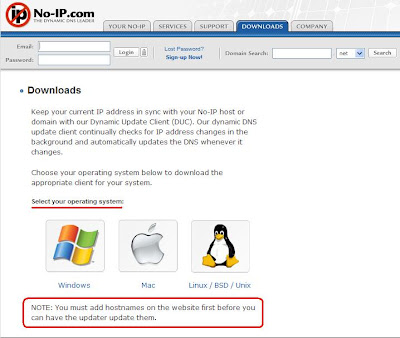


In Windows system, can download ducsetip.exe and installs it completes.
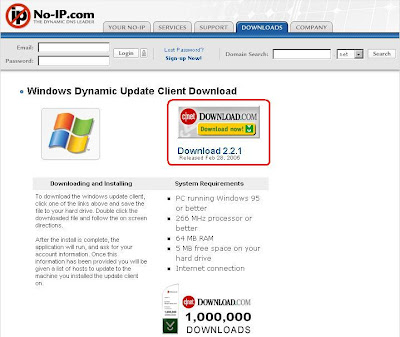


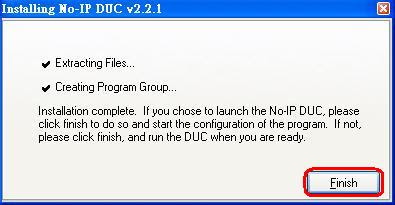
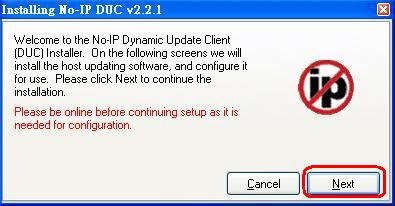
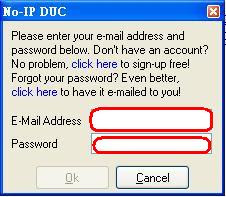
After the download is complete the implementation of programs, appear as shown below, click the next until the finish.


Please enter your e-mail address and password below.


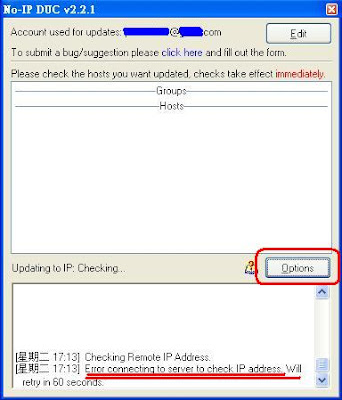
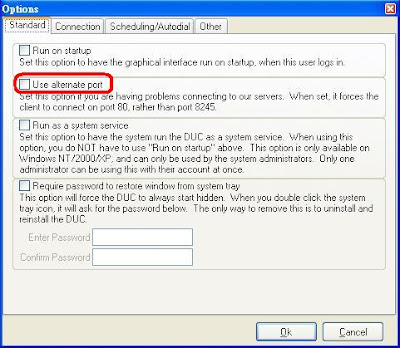
If has because the firewall function to block the port 8245 connection may be wrong, then click on "Option"


Check the Use alternate port functions, and then the end of Ok.

The connection is successful and there NO-IP set by the host name and check up.
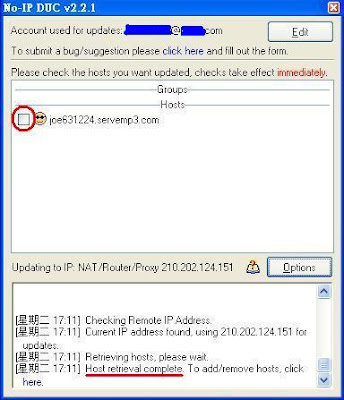


Under the plan is a smiling face is set to complete.


2008/07/25

Where can I find the station that I just added ?

The new added station is listed in "My Favorite", doesn't in the normal station list.

And if you want to delete it,
go to "My Favorite” and move cursor to the item that you want to delete, press right arrow key for next step, select "delete" and press "ENTER" key to perform the deletion.

2008/07/14

UPnP - Universal Plug and Play

Wikipedia has a detailed description UPnP.

From
http://en.wikipedia.org/wiki/Universal_Plug_and_Play


UPnP Software

I found a free UPnP Server "TVersity" very easy to set up, just a few minutes then you could use IRP/F/Z to steam music from PC over LAN.

Website - http://tversity.com/

Download website - http://tversity.com/download/

2008/07/11

Google gadget - Google Media Server


Recently found a very convenient Google Desktop gadget - Google Media Server
Google Media Server supports UPnP which let you use Internet Radio connects to PC's share music.
You could download it from : http://desktop.google.com/plugins/i/mediaserver.html?hl=en
This gadget requires Google Desktop 5 or above.

Google Desktop web sit:
http://desktop.google.com/en/GB/


2008/07/02

MAC address (Media Access Control address)

In computer networking a Media Access Control address (MAC address) is a unique identifier attached to most network adapters (NIC or Network Interface Card). It is a number that serves as an identifier for a particular network adapter. For security reason, we will enable MAC filter function to allow the specific MAC address access to internet only. If you did so, make sure I-Radio's MAC address is listed. I-Radio's MAC address can be found on bottom label.

2008/06/11

IRF Features

● Self functional Internet Radio Receiver (no PC needed)

● Built-in more than 10000 links to worldwide internet radio stations

● Station link can be auto updated

● Can store 250 station links in My Favorite

● Play MP3 and WMA files from built-in USB host port

● Record and playback radio program from USB storage device

● Supports WiFi connection

● Built-in compact size stereo speakers

● Supports multi languages for on screen menu


From the http://www.emprex.com/02_products_02.php?id=262